1. What Is SEO Audit Lead Generation?
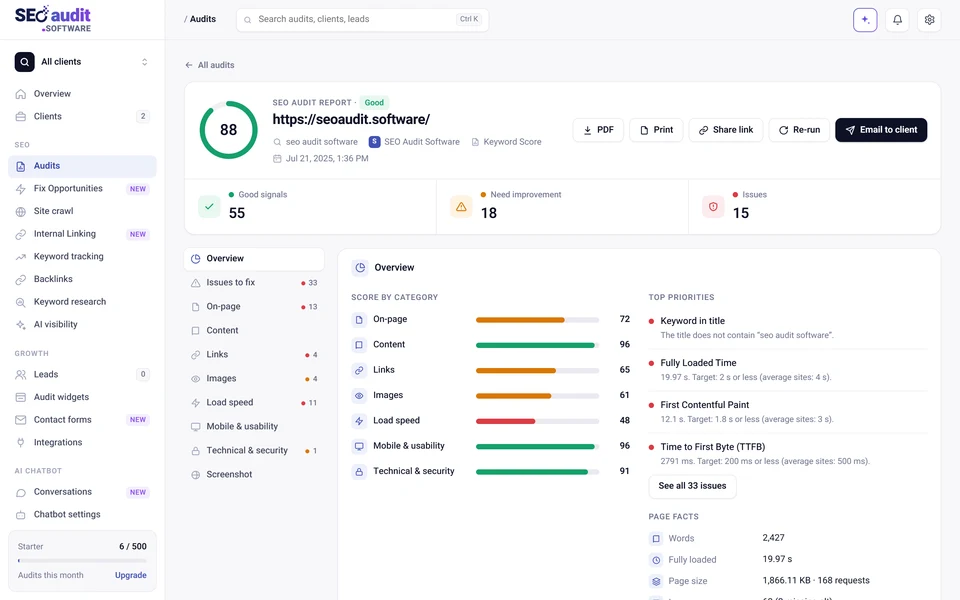
SEO audit lead generation is an inbound agency client acquisition model where you offer prospective clients a free, automated technical website diagnosis in exchange for their contact information.
Instead of cold-pitching prospective clients with vague promises ("We can rank you #1 on Google"), an audit lead funnel immediately surfaces real, objective technical barriers holding back their business: broken internal links, failing Core Web Vitals, missing OpenGraph tags, or blocked search engine spiders.
2. What You Need Before You Start
Before deploying an audit lead generation funnel, ensure your agency has these 3 core assets in place:
- An Automated Cloud Audit Tool: A platform like SEO Audit Software capable of testing 179 technical checkpoints within 30 seconds without burning server bandwidth.
- A White-Label PDF Template: A professional 15-page branded report template displaying your agency logo, primary color scheme, and clear diagnostic explanations.
- A 15-Minute Follow-Up Process: A dedicated team member or automated webhook routing new leads into your CRM for immediate personalized outreach.
3. How to Set Up an SEO Audit Lead Form (5-Step Walkthrough)
Follow these 5 steps to configure an automated lead generation funnel:
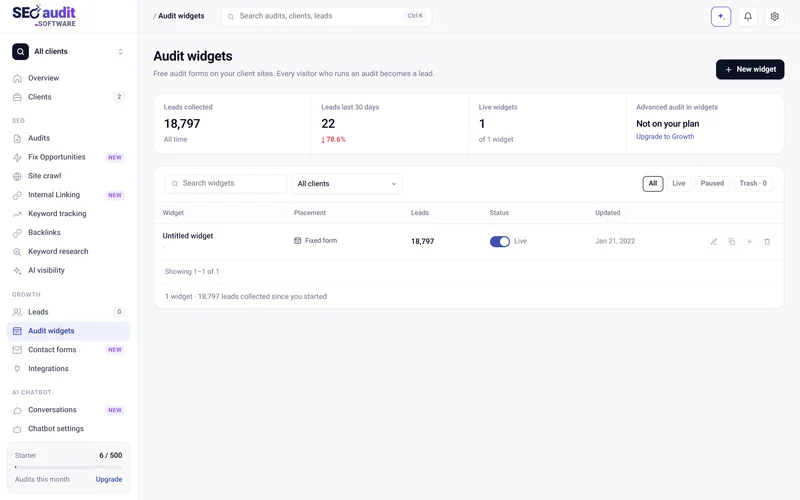
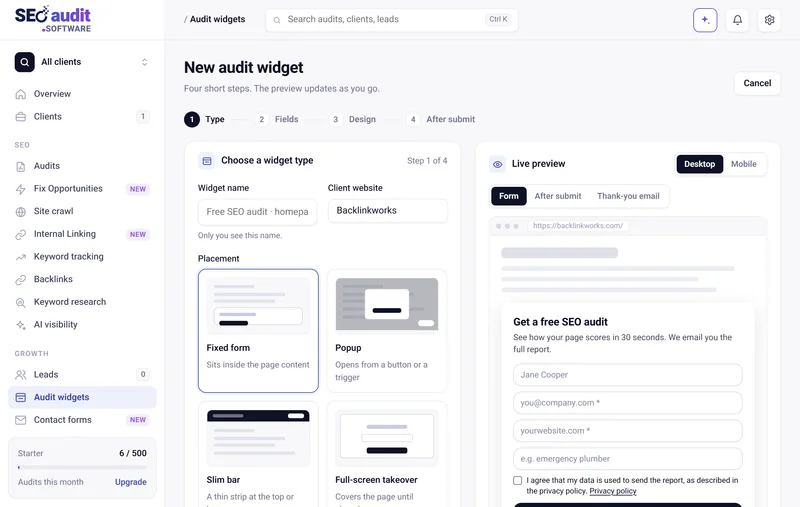
Step 1: Create Your Audit Widget
Navigate to Leads → Widgets → New Widget. Select an embed format (fixed form for hero sections or floating modal button for site-wide coverage).
Step 2: Choose Data Fields to Collect
Collecting Website URL and Email generates the highest volume of leads. If your agency focuses exclusively on enterprise accounts, add Phone Number and Company Size to pre-qualify high-ticket prospects.
Step 3: Brand the Deliverable Report
Upload your high-resolution agency logo, select your brand HEX colors, and customize the report header text (e.g. "Prepared by Apex Digital Marketing Agency").
Step 4: Embed the Form on Your Website
Copy the asynchronous JavaScript snippet and paste it into your CMS. The snippet loads asynchronously with 0.00 impact on Core Web Vitals.
Step 5: Configure Instant Lead Alerts
Set up automated email and Slack notifications so your sales team gets notified the instant a prospect requests an audit.
4. Where to Place Your Audit Form for Maximum Conversions
Optimize your inbound funnel by positioning your audit forms where user intent is highest:
- Above the Fold on Your Homepage: Replace generic contact buttons with a prominent interactive audit bar.
- Inside SEO & Marketing Case Studies: Place inline forms under case studies: "Want to see how your site compares to this 240% traffic growth case study? Run your free audit now."
- Site-Wide Floating Navigation Button: Add a persistent "Free Instant Audit" button in your header navigation.
5. How to Follow Up So Audit Leads Become Paying Clients
The difference between a lead and a paying client is the quality and speed of your follow-up sequence:
- Speed-to-Lead (15 Minutes): Reach out while the prospect is still reviewing their audit score on your site.
- Send a 3-Minute Video Loom Review: Record a quick video walking through their report, focusing on 2–3 high-impact technical issues.
- Propose a 90-Day Remediation Sprint: Position your SEO services as the natural solution to resolve the exact issues discovered during their audit.
6. Common Mistakes to Avoid in Audit Lead Generation
Overwhelming prospects with technical jargon (e.g. 500 lines of crawl spreadsheets) causes paralysis. Deliver concise, prioritized executive summaries instead.
Lead intent drops by over 80% after the first hour. Automate instant alerts to contact prospects while their problem is top of mind.
Delivering third-party branded reports diminishes your agency's authority. Ensure every deliverable reinforces your own brand identity.
7. Choosing the Right SEO Lead Generation Tool
When evaluating an audit lead generation platform, look for these agency-essential features:
- Unlimited Audits & Leads: Avoid platforms that charge per-lead fees or penalize you for high website traffic.
- 100% White-Label Capabilities: Custom agency logo, brand colors, and custom CNAME domain hosting.
- Accurate Core Web Vitals Diagnostics: Lab and field performance data reflecting modern Google ranking standards.
8. Frequently Asked Questions
Is SEO audit lead generation free to start?
Yes. SEO Audit Software offers a 14-day free trial that includes unlimited audit widgets, custom branding, and PDF exports with zero restrictions.
Do I need a developer to embed the audit form?
No. You simply copy a 1-line asynchronous JavaScript snippet and paste it into WordPress, Webflow, Shopify, or Wix.
Can I send audit leads to my CRM automatically?
Yes. Native integrations and Zapier webhooks push incoming prospect contact info directly into HubSpot, Mailchimp, ActiveCampaign, or Slack in real time.