
Key takeaways
- A free SEO audit form gives visitors a report on their own site and gives you a qualified lead with the report attached.
- Ask only for URL, target keyword, name and email. Every extra field lowers completions.
- Brand the report, place the form on high-intent pages, and reply to new leads within the hour.
- Check whether a tool includes the lead form in your plan or sells it as an add-on.
Most agency websites ask visitors to “get in touch for a free quote.” Very few visitors do. A free SEO audit works better because it gives the visitor something useful straight away: a report on their own website. In return, you get their name, email and the URL they care about, which is exactly what you need to start a sales conversation.
This guide explains how SEO audit lead generation works, how to set it up on your site in under 15 minutes, and how to turn those audit requests into paying clients.
What is SEO audit lead generation?
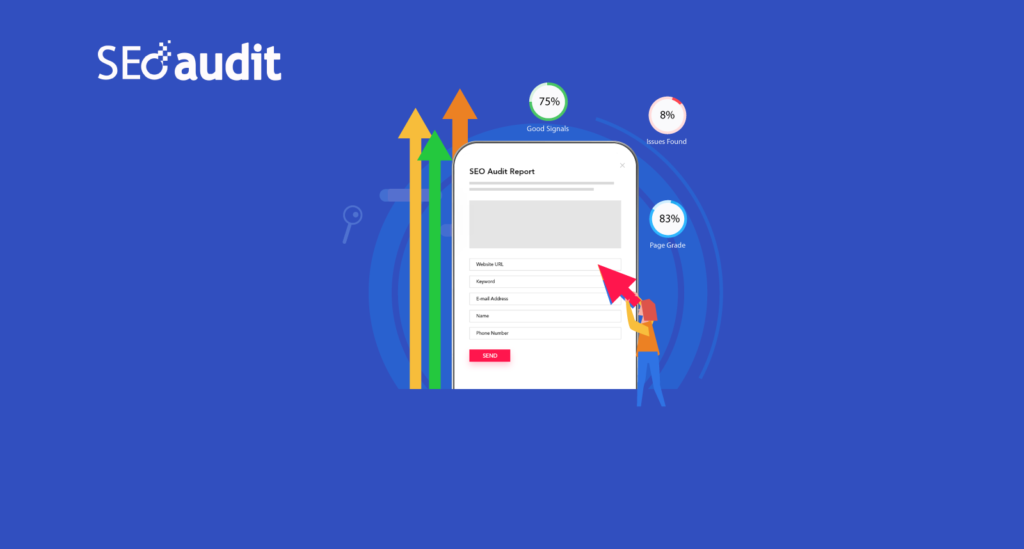
SEO audit lead generation means placing an audit form on your website. A visitor enters their website URL and a target keyword, adds their contact details, and receives an instant SEO report. You receive the lead, together with the report, so you already know what is wrong with their site before you reply.
It works for three reasons:
- The visitor gets value first. They see real problems on their own site, not a sales pitch.
- The lead is qualified. Someone who audits their own website is usually thinking about improving it.
- Your first reply is specific. Instead of “how can we help?”, you can open with the three issues the report found.
What you need before you start
- An agency or freelancer website where you can paste a small piece of embed code (WordPress, Webflow, Wix and plain HTML all work).
- An SEO audit tool with an embeddable lead form. SEO Audit Software’s lead generation tool includes unlimited embeddable forms and unlimited leads on every plan, starting at $9/month.
- A clear offer, for example “Get a free SEO audit of your homepage in 30 seconds.”
How to set up an SEO audit lead form (step by step)
1. Create your audit widget
Sign in with your Google account (the 14-day free trial needs no credit card), open Generate Leads → Create Widget, and give the widget a name such as “Homepage audit form”.
2. Choose the fields you want to collect
Ask for the minimum you need. Website URL, target keyword, name and email are usually enough. Add a phone field only if you plan to call leads, because every extra field lowers the number of people who finish the form.

3. Brand the report
Add your logo, colours and contact details so the report looks like it came from your agency. With white label reports, prospects never see a third-party brand. If you serve clients outside English-speaking markets, the form and report can be translated into 12 languages, including Spanish, German, French, Dutch and Portuguese.
4. Embed the form on your website
Copy the embed code and paste it where visitors are most likely to see it. If you use WordPress, an HTML or Custom HTML block is enough. We cover this in more detail in how to embed an SEO audit widget without technical knowledge.
5. Turn on instant lead notifications
Speed matters. Enable email notifications so you hear about each new lead the moment the audit runs. You can also sync leads to Mailchimp, or to Brevo, Constant Contact or a webhook, so they go straight into your email list or CRM.

Where to place the audit form
- Homepage hero section: the highest-traffic spot on most agency sites.
- SEO service pages: visitors here are already researching SEO help.
- Blog posts about SEO: add the form at the end of practical guides, where readers want to check their own site.
- A dedicated “Free SEO audit” page: useful as the landing page for ads, social posts and email signatures.
How to follow up so audit leads become clients
- Reply within the hour if you can. The prospect has just read their report and is still thinking about it.
- Lead with two or three specific findings. For example: “Your homepage title is missing your main keyword, and two pages load slowly on mobile.”
- Explain the impact in business terms. Fewer visitors from Google means fewer enquiries, not just a lower score.
- Offer a short call, not a proposal. A 15-minute walkthrough of the report is an easy yes.
- Follow up twice more. Many leads reply on the second or third message.
Common mistakes to avoid
- Asking for too much information. Long forms cut completions.
- Using an unbranded report. A report with another company’s logo weakens trust in your agency.
- Letting leads go cold. A lead answered tomorrow is far less likely to convert than one answered today.
- Hiding the form. If visitors have to look for it, most will not find it.
Choosing an SEO lead generation tool
When you compare tools, check four things: whether the embeddable form is included in your plan or sold as an add-on, whether there is a cap on leads, whether reports can be fully white labelled, and the monthly price. Some well-known platforms only include lead forms on their higher tiers or as paid add-ons. See our side-by-side comparisons with SE Ranking, SEOptimer, MySiteAuditor and WooRank for current pricing. For a full feature checklist, read our white label SEO audit tool guide.
Frequently asked questions
Is SEO audit lead generation free?
The audit is free for your visitors. You pay for the tool that runs it. SEO Audit Software includes unlimited lead forms and leads on every plan, from $9/month, with a 14-day free trial.
Do I need a developer to add the form?
No. You copy one embed code and paste it into your page. On WordPress, a Custom HTML block works.
Can the report carry my agency’s branding?
Yes. Reports can show your logo, colours and contact details, and the PDF can be downloaded, emailed or printed.
Ready to try it? Start your 14-day free trial and have your first audit form live on your site today.

I am Maqsood Rahman, the mastermind behind SEO Audit Software. I have worked in the Digital Marketing industry for the last 17 years in New York City. Currently, I am working for 5+ years as Founder and CEO at SEO Audit Software. Want to rank in Google from anywhere in the world? No Problem! From Big data analysis, finding bugs, and fixing technical errors to rank higher on the Google first page, my expertise and Software are fully dedicated to serving Local and National Enterprise-level SEO clients.